Relax.
Lily's watching.
Lily looks after the devices, email and money at your business or home. She works out what's wrong, tells you in plain words, and fixes it with one tap.
We're letting people in a few at a time.
- Read-only access to your bank
- Asks before anything big
- Undo on everything she does
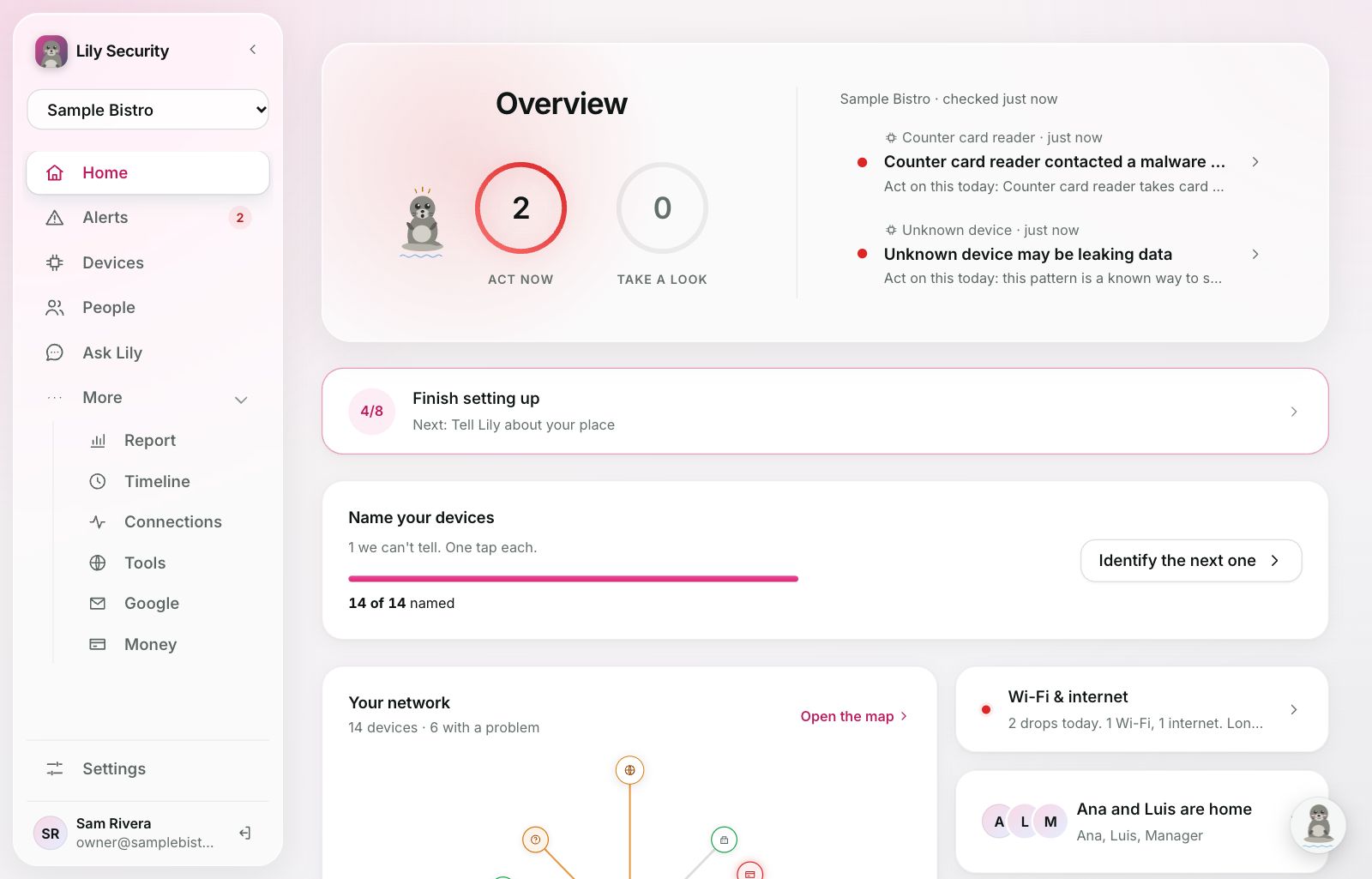
 Lily9:41 AM
Counter card reader contacted a malware site. It tried 3 times this morning. Cut it off until your card company checks it?
Works with what you already use
- Gmail
- Microsoft 365
- Your bank
- 1Password
- Slack
- Claude
- ChatGPT
What Lily would tell you this week
Pick a place and tap anything she watches. Every message says what happened and the one thing to do.
Places and people in this demo are made up.
Your network, inbox and bank, watched together
That's how Lily can tell a fake supplier email and a payment to a new account are the same scam.
Every device, named and watched
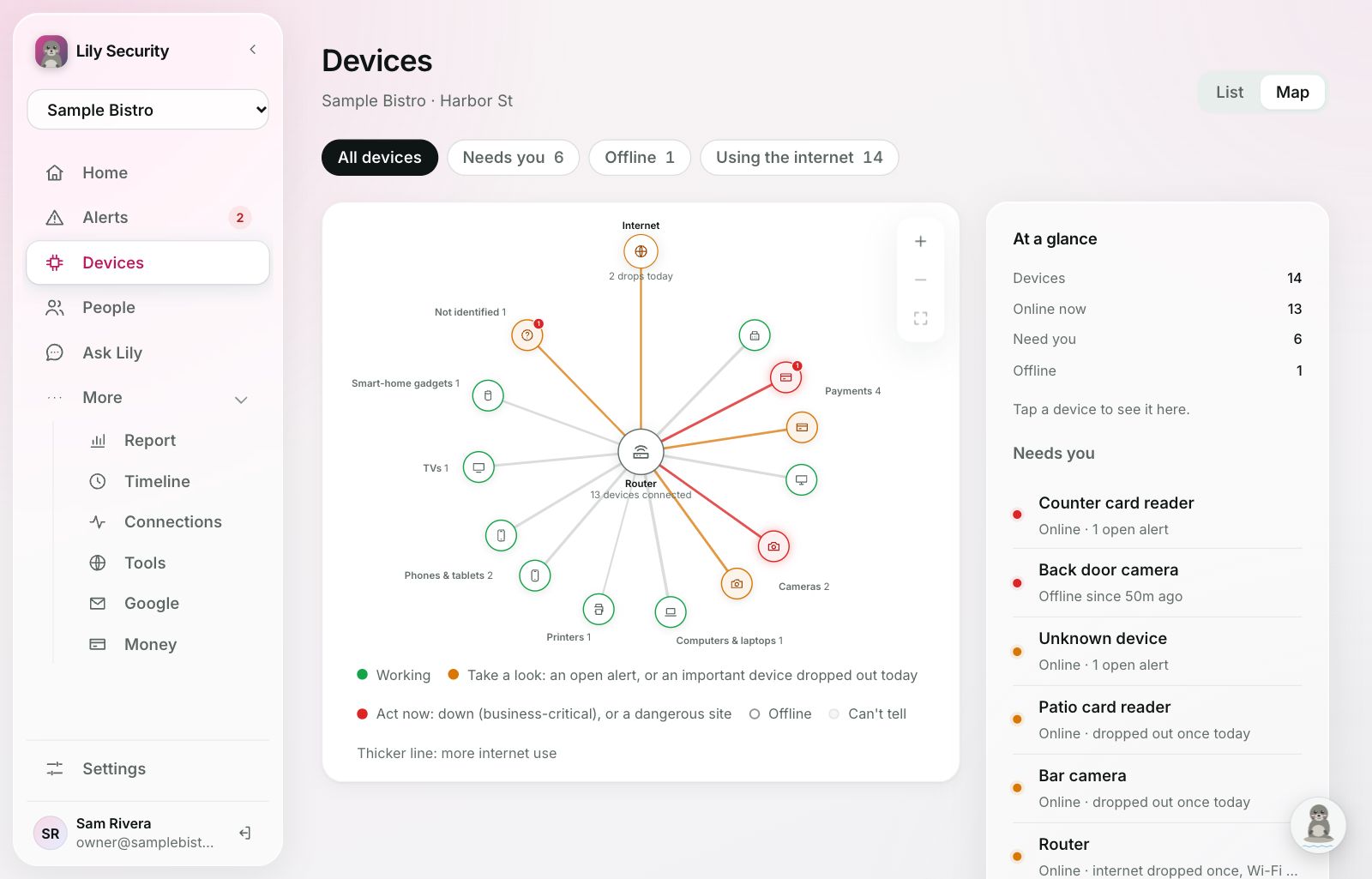
A small sensor shows Lily every card reader, camera, laptop and TV on your Wi-Fi. She works out what each one is and learns what normal looks like.
- Hear the moment a card reader, camera or the internet drops, and when it's back.
- Unknown devices on your Wi-Fi, and cameras strangers could reach.
- Dangerous sites blocked for every device at once.
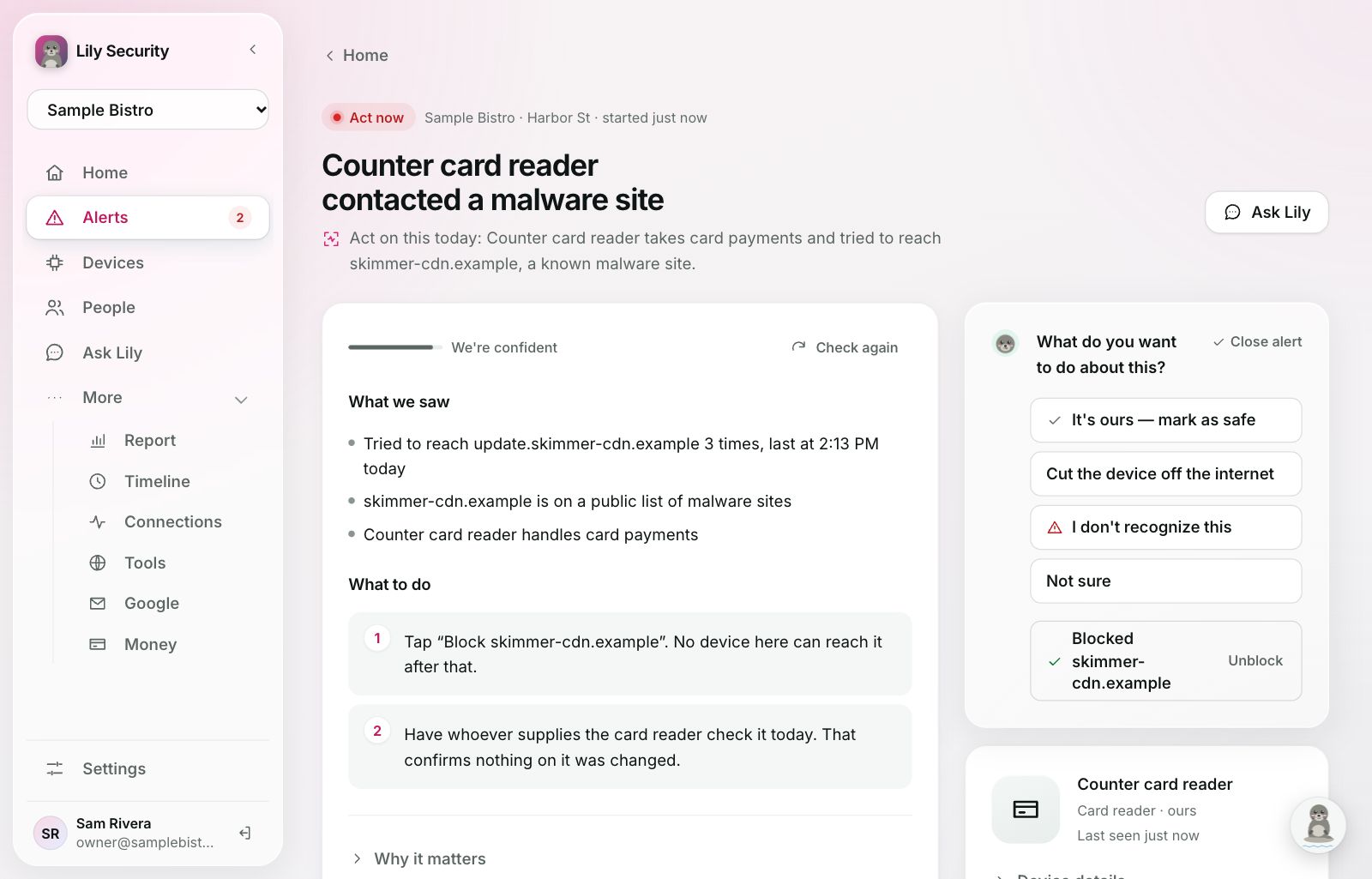
Plain words, one tap, and Undo
Each alert says what Lily saw, why it matters and what to do, as numbered steps. Tap a button and she does it: cut a device off, block a site, close what's plainly nothing.
- You choose how far she goes on her own.
- She never cuts off card readers or registers by herself.
- Everything she does can be undone, from the app, Slack or Claude.
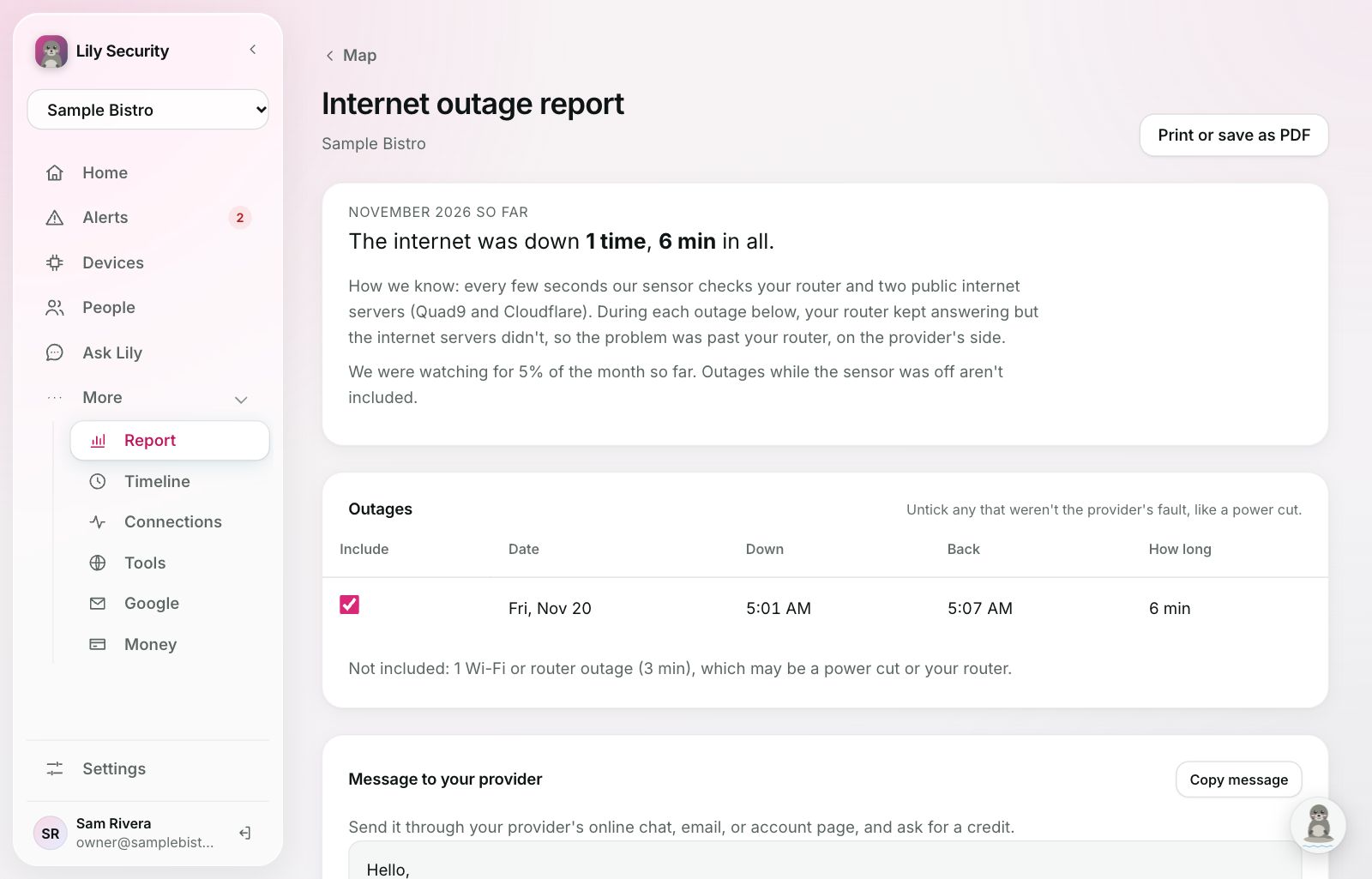
Get money back for internet outages
Most internet providers give a credit for outages, but only if you ask with dates and times. Lily keeps the record, shows it was their side and not your router, and writes the message for you.
Scams caught before anyone pays
Connect Gmail, Google Workspace or Microsoft 365. Lily reads new mail for fake invoices, lookalike senders and fake login pages, and moves scams out of the way. She also spots break-ins, like a sign-in from somewhere new or a forwarding rule nobody made.
Fraud spotted the same day
Connect your bank and Lily flags payments to anyone new, double charges and card testing. She also shows where the money goes: spending, subscriptions and what went up. Her access is read-only, so she can never move money.
1Password
See who signed in, from where, and which saved logins they used. Lily never sees the passwords.
Ask Lily
"Was anything weird last night?" She answers from what she can see, and shows the device.
People
Who's home or in, from their phones. Each person's devices and accounts in one place.
Weekly report
Every Monday: downtime, how your important devices did, and what Lily handled.
Talk to her where you already are
Most days you won't open the app. Lily posts in Slack and answers in Claude and ChatGPT, and asks before she changes anything.
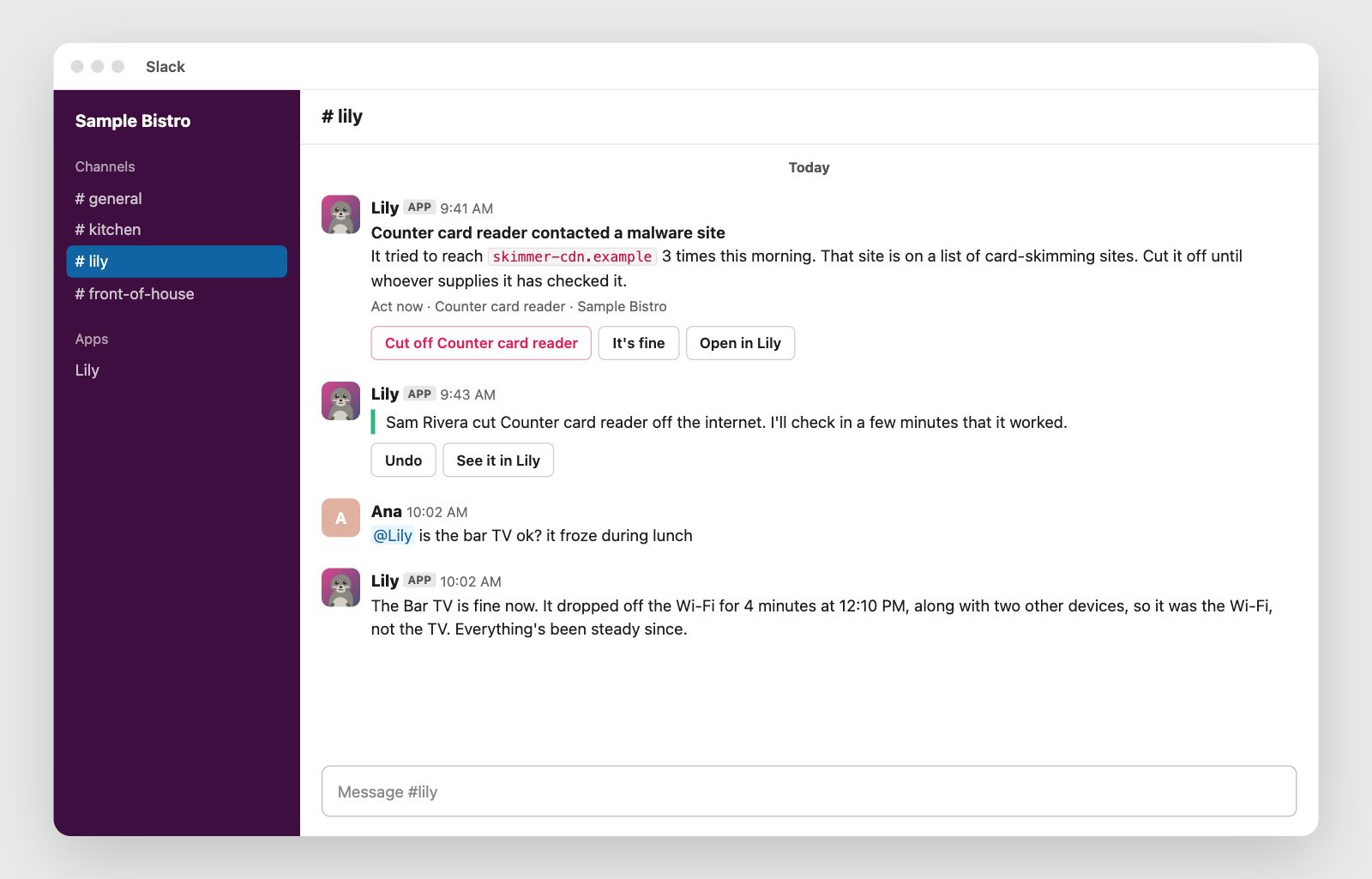
Alerts your whole team can act on
Lily posts in your #lily channel with buttons: cut a device off, it's fine, or Undo. She says who did what, and answers when someone mentions @Lily.
For anyone without an IT person
Businesses that lose money when a device goes down, families, and the IT shops that look after them.
Set up in an afternoon
After the first few days, you only hear from Lily when something needs you.
Join the waitlist
Say whether Lily is for a home or a business. We email you a link when it's your turn.
No password. You sign in with a code we email you.Set up the sensor
A small program on a computer that stays on, like a desktop, a Mac mini or a Raspberry Pi. Mac, Windows or Linux.
It sits beside your network, so your internet and card payments never depend on it.Lily learns your place
She names your devices and learns what's normal. Connect email, your bank and Slack whenever you like.
Expect a few questions early on. Each answer makes her quieter.What Lily never does
- Move moneyHer access to your bank is read-only.
- See what's on the sites you visitOnly which sites a device reached, and when.
- Read your passwordsWith 1Password she sees that a login was used, never what's in it.
- Act without a way backEverything she does has an Undo.
The details are in our privacy policy.
Can Lily read our messages or see what we do online?
On your network, no. She sees which sites devices reach, never what's on them. If you connect your email, she reads it to catch scams and break-ins, and only for that.
Will the sensor slow down our internet or card payments?
No. It sits beside your network, not in the way of it, and never touches card readers.
Can Lily move money?
No. Her access to your bank is read-only. She watches for odd payments and new payees, and tells you.
Lily cut off a device by mistake. How do I get it back?
Tap Undo on the Slack message or in the app, or tell Claude "undo that". The device is back online in a minute or two.
Does Lily see my kids' devices?
Yes, like every device on your network: which sites they reach, not what's on them. She uses that only to protect them, like blocking a dangerous site or spotting a scam.
How do I stop using Lily?
Disconnect your accounts, uninstall the sensor, and email us to delete everything.
Let Lily look after your place
We're letting people in a few at a time. Join the waitlist and we'll email you a link when it's your turn.
Already in? Sign in